
Download SIM Card Reader – Recover Deleted Messages, Text Message Recovery, Data Recovery Tool
Overview
Sim Card Reader is a specialized mobile utility designed to assist users in recovering deleted text messages from their SIM cards. The app operates on the principle that deleted SMS messages are not immediately erased from memory but remain until overwritten, offering a window of opportunity for retrieval. This makes it particularly useful for individuals who have accidentally deleted important conversations, such as personal messages, appointment reminders, or business communications.
The application targets users who need a straightforward tool to restore lost data without relying on cloud backups or complex software. While the developer, SIM Card Reader, has not provided additional background on their organization or technical development history, the app’s long-standing presence—first released in 2008—suggests a niche but persistent role in the mobile data recovery ecosystem. Its functionality is rooted in direct hardware interaction, requiring a USB card reader to access the SIM card’s storage.
This real-world use case is relevant for users with older Android devices or those who rely on SIM-based message storage. Despite its age, the app remains a functional option for users seeking a lightweight, free tool for SMS recovery, especially in scenarios where other recovery methods are unavailable.
Key Features & Functionality
- Data Recovery Capability: The app enables recovery of deleted text messages stored on the SIM card by scanning residual data. This is especially valuable when messages were removed without a backup, offering a second chance to retrieve critical information.
- USB Card Reader Integration: A physical USB card reader is required to connect the SIM card to a computer or compatible device. This ensures direct access to the SIM’s file system, allowing the app to perform low-level data extraction.
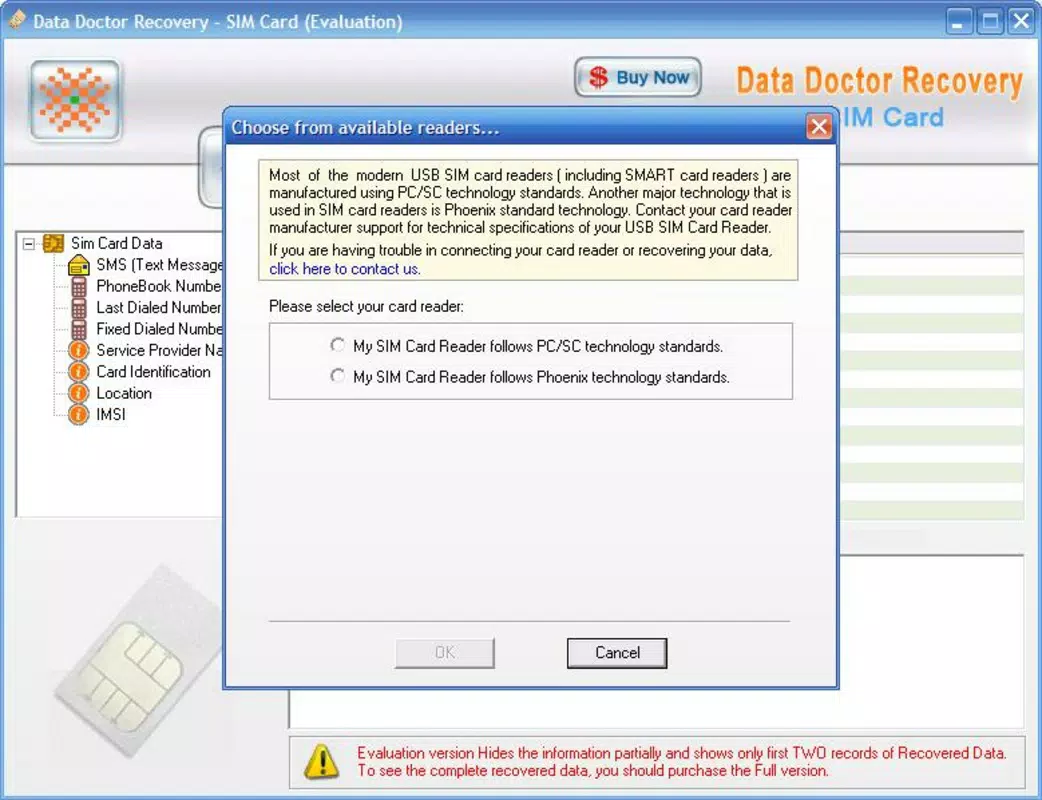
- Format Specification Requirement: The app functions only when the user knows the SIM card format—either PS/SC or Phoenix. This technical prerequisite ensures compatibility but may pose a challenge for users unfamiliar with their SIM’s configuration.
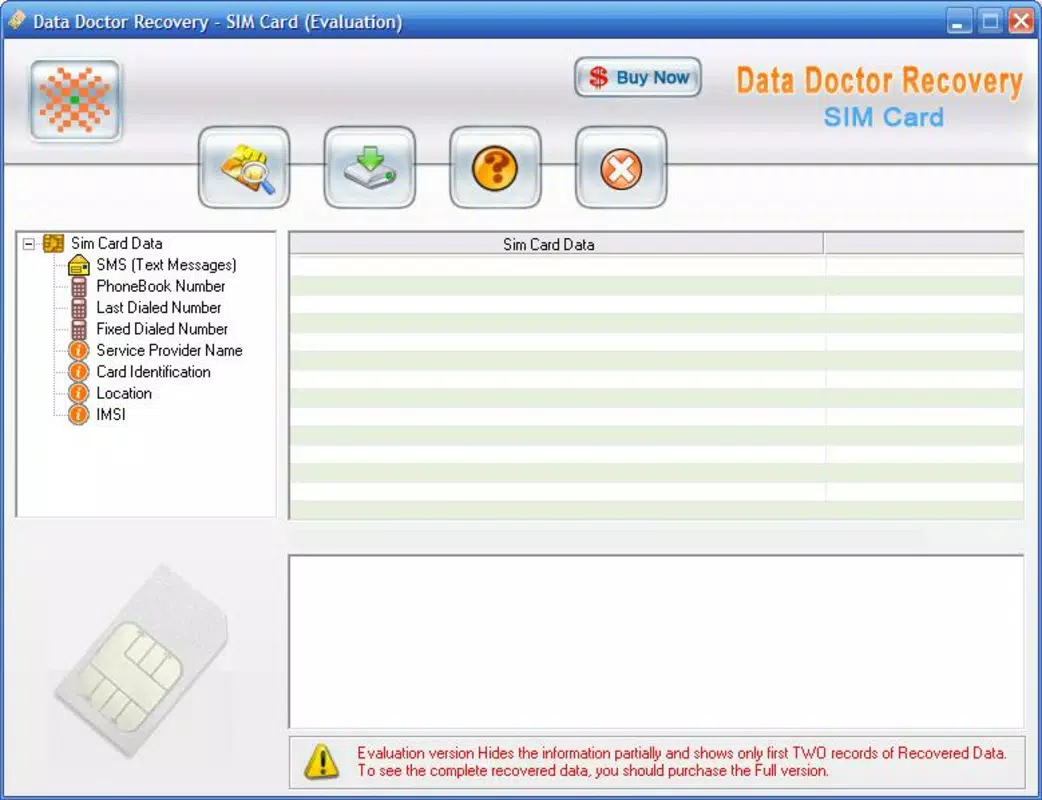
- Simple Interface: Designed with usability in mind, the app features a clean, step-by-step interface that guides users through the recovery process without requiring advanced technical knowledge.
- SMS Reconstruction: After recovery, the app reconstructs the messages into readable format, allowing users to view, save, or transfer the data for future reference.
For example, a user who accidentally deleted a message containing a job interview date could use the app to retrieve it by connecting their SIM card via a USB reader. Similarly, someone managing a small business might recover client contact details stored in old SMS messages. The app’s functionality is limited to SIM-based message storage, which is common in older Android devices, making it a relevant tool for legacy system users.
Interface, UX & Performance
The user interface of SIM Card Reader is described as straightforward and easy to navigate, with a minimalistic layout focused on core recovery tasks. The app’s design prioritizes functionality over visual flair, aligning with its utility-driven purpose. Navigation appears to follow a linear flow: connect the SIM card, select the format, initiate scan, and view results.
This simplicity benefits users with limited technical experience, reducing the learning curve. However, the developer did not provide additional technical details about performance metrics, such as scan speed, memory usage, or responsiveness under load. Although the developer did not list formal performance metrics, the app’s small file size of 1.2 MB suggests efficient resource usage.
It is expected to operate smoothly on older Android devices, though no specific compatibility data was provided. Stability and crash reports were not disclosed. Users should anticipate a basic experience, free from advanced animations or background processes, consistent with its role as a utility tool.
Overall, the app appears optimized for its intended function, with a focus on reliability over speed or visual polish.
Platform Compatibility & Technical Requirements
Sim Card Reader is available for Android devices. The app’s version is listed as 1.0, indicating a stable but potentially outdated release. Its file size is 1.2 MB, which is minimal and suggests a lightweight, low-resource application.
The developer did not specify minimum OS requirements or compatibility with specific Android versions. As such, users should be cautious when installing on newer devices, as compatibility cannot be guaranteed. The app’s reliance on a USB card reader means that physical hardware access is mandatory, which may limit usability for users without such equipment.
Additionally, the requirement to know the SIM card format—PS/SC or Phoenix—adds a layer of technical dependency. Without this information, the app may not function correctly. The developer did not disclose whether the app supports multiple SIM formats or includes auto-detection features.
Users are advised to verify their SIM card specifications before use.
Pros and Cons
Pros
- Free to download and use, making it accessible for budget-conscious users.
- Small file size (1.2 MB) ensures minimal storage impact.
- Simple interface suitable for users with limited technical expertise.
- Effective for recovering deleted SMS messages on compatible SIM cards.
- Does not require cloud connectivity or internet access during operation.
Cons
- Requires a USB card reader, which may not be readily available to all users.
- Dependent on knowing the SIM card format (PS/SC or Phoenix), which can be a barrier for beginners.
- No information on compatibility with modern Android versions.
- Outdated version (1.0) may lack support for newer device architectures.
- Developer did not provide update history or future development plans.
FAQ
Is SIM Card Reader safe to install on my Android device?
Yes, the app is free and does not require excessive permissions. However, as it accesses low-level SIM card data, users should ensure they are using it on trusted hardware and avoid installing from unofficial sources.
Do I need an internet connection to recover messages?
No, the app operates offline. Recovery is performed locally using the connected SIM card and USB reader, so no data is transmitted to external servers.
Can I use SIM Card Reader on iOS devices?
No, the app is designed exclusively for Android platforms. There is no official iOS version available.
What should I do if I don’t know my SIM card format?
If unsure, users can contact the developer for guidance. Alternatively, they may consult their mobile carrier or device manual for format details.
How often should I update SIM Card Reader?
As the app’s version is 1.0 and no update history was provided, it is unclear how frequently updates are released. Users should monitor official channels for any future releases.
Final Thoughts
Sim Card Reader remains a niche but functional tool for users seeking to recover deleted text messages from SIM cards. Its lightweight design, free access, and straightforward interface make it a viable option for individuals with older Android devices or those who rely on SIM-based SMS storage. While the app’s age and lack of modern features are evident, its core purpose—data recovery through physical SIM access—remains relevant in specific use cases.
The requirement for a USB card reader and knowledge of SIM card format limits its accessibility, but for those who meet these conditions, it offers a reliable, offline solution. For users facing the loss of important messages and lacking cloud backups, this app could be a crucial lifeline. Despite its limitations, it stands as a testament to the enduring need for simple, effective mobile utilities.
Download SIM Card Reader now.


